Stop Staring at That Blank Screen: How AI Caption Generators Are Changing Social Media Forever
AI caption generators solve the biggest bottleneck for many creators: the blank caption box. You have the photo, video, or idea, but not the words. In 2026, AI drafting tools turn a rough concept into platform-ready copy in seconds. Used well, they speed up posting without making your feed sound robotic.
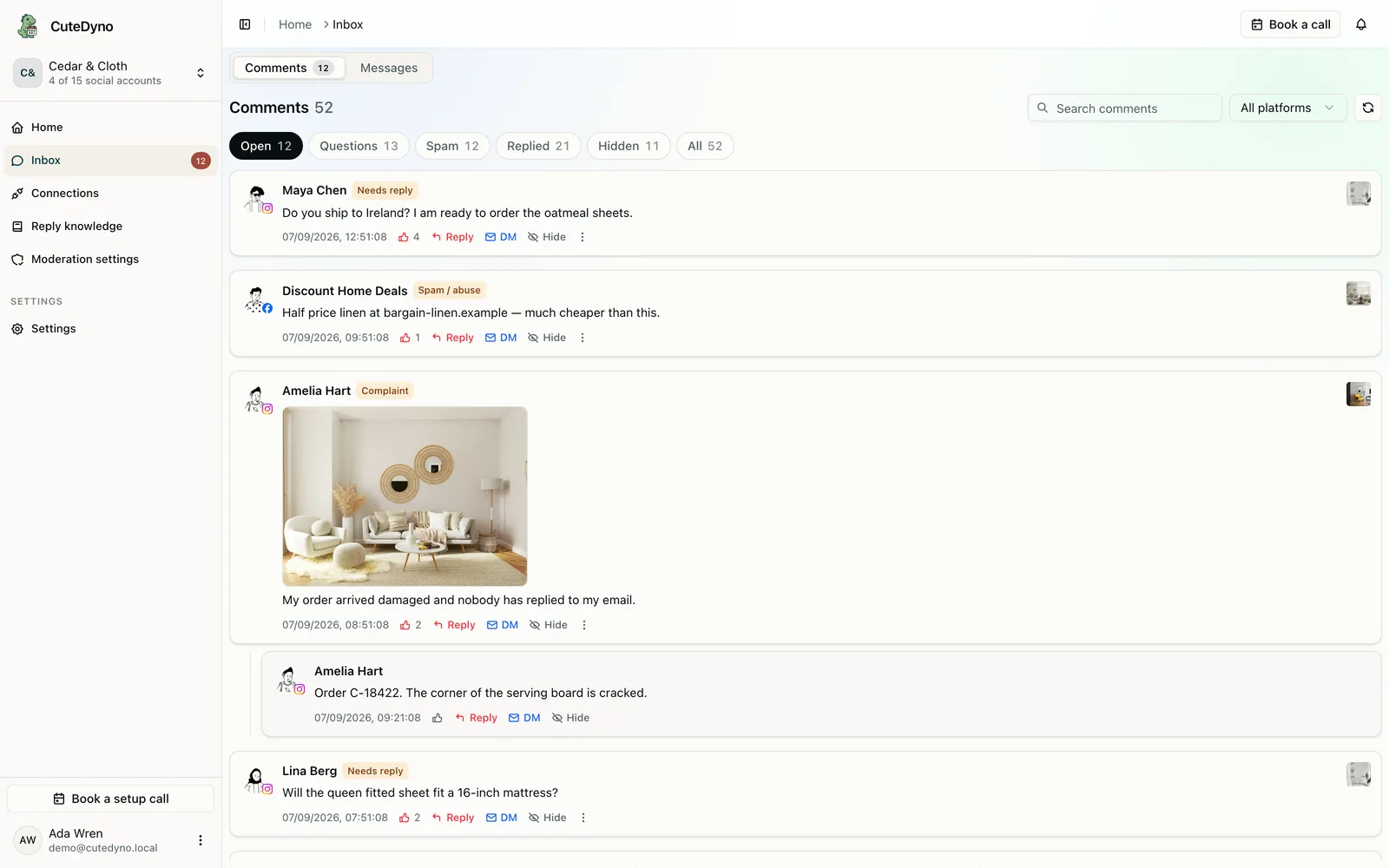
Try CuteDyno's AI Caption Generator alongside the caption line break helper and hashtag generator. Batch drafts, then schedule posts or review pricing for team workflows.
Quick Answer: Are AI Caption Generators Good for Social Media?
Yes, when you treat them as first drafts, not final copy. They reduce writer's block, keep tone consistent across platforms, and speed up batch days. Always edit for personal stories, brand voice, and accuracy. Engagement depends on relevance and authenticity, not whether AI helped you start.
The Blank Screen Problem
Creating visuals is one skill; writing hooks is another. Creators often face:
- Writer's block, Clear idea, no flowing words
- Time pressure, Daily posting leaves little room for polished copy
- Platform fatigue, Instagram, TikTok, LinkedIn, and X each want different lengths and tones
- Language barriers, Non-native speakers want natural phrasing
AI removes friction so you focus on ideas only you can provide.
How AI Caption Generators Work
Typical flow:
- Input, Image, video, topic, or bullet notes
- Analysis, Model infers subject, tone, and context
- Generation, Drafts tailored per platform
- Refinement, You edit or request variations
Advanced tools add hashtag suggestions, length limits, CTA options, and emoji placement, useful when batching for a content calendar.
What to Look For in an AI Caption Tool
| Feature | Why it matters |
|---|---|
| Platform presets | LinkedIn ≠ TikTok length and tone |
| Tone controls | Professional, playful, urgent |
| Image/video input | Captions grounded in what viewers see |
| Hashtag suggestions | Niche tags without manual research |
| Multiple variations | Pick the best of 3–5 options |
| Bulk generation | Speed for campaign batch days |
Popular AI Caption Tools in 2026
ChatGPT, Claude, and Gemini
General models write strong captions with good prompts. Best for custom instructions ("casual Gen Z tone," "under 100 words") and workflow integration. Limitation: you often describe visuals unless you upload images.
Copy.ai, Jasper, Writesonic
Marketing-focused templates, brand voice memory, and scheduler integrations. Strong for teams needing consistency. Pair with an affordable scheduler.
Canva AI and Adobe Firefly
Design tools with copy assistance, generate from the canvas you already built. Best when you create and post in one place.
CuteDyno AI Caption Generator
Browser-first, social-native drafts with quick edits before scheduling. Fits creators who want captions and publishing in one stack. Try it free.
Platform-native suggestions
Instagram, LinkedIn, and others offer in-app caption ideas. Good for quick tweaks without switching apps.

Writing Captions That Still Feel Human
1. Use AI as a starting point
Add personal anecdotes, slang, and specifics only you know. Delete generic filler the model loves ("In today's fast-paced world…").
2. Match tone to your brand
Prompt with examples: "Sound like a friend, not a press release." Keep a short style guide and paste it into every session.
3. Test and iterate
Track which openings earn saves and comments. Refine prompts based on data, not guesses.
4. Stay consistent
Same tool, same guidelines, coherent feed, even when AI accelerates drafting. Need post ideas? See 50 TikTok content ideas and content pillars guide.
5. Format for readability
Use the caption line break helper so Instagram and Facebook do not collapse your spacing.
AI Captions for Agencies and Clients
Agencies use AI for speed, then run human review and approval workflows. Disclose AI use if contracts require it. Never ship unedited drafts to regulated industries without compliance review.
Repurpose blog content into social snippets with blog to social posts before captioning.
The Future of AI Captions
Expect tighter integration with scheduling, analytics-driven suggestions ("openings like this performed 2× last month"), and real-time tone coaching. The goal is not replacing writers, it is making the blank screen less intimidating so more people publish consistently.
Combine AI captions with AI visuals, see best AI image generator for beginners, for faster campaign production.
Frequently Asked Questions
Will AI captions sound robotic?
They can if published unchanged. Always edit for voice, specifics, and accuracy.
Is it okay to use AI captions for client work?
Yes with human oversight. Match client brand voice and use approval workflows. Disclose when required.
Which AI caption tool is best for beginners?
ChatGPT, Canva AI, and CuteDyno's caption generator are the easiest starts. Canva if you design in-app; CuteDyno if you schedule from the same stack.
Can AI write captions in multiple languages?
Yes, specify the language in your prompt and have a fluent speaker review idiom and grammar.
Do AI captions hurt engagement?
No. Weak, irrelevant captions hurt engagement. AI plus editing performs as well as manual drafting when the hook and offer are strong.
Should I generate hashtags with AI too?
Yes, but verify relevance. Use the hashtag generator and limit to 3–5 niche tags on Instagram in 2026.
How do agencies scale caption writing?
Use AI for first drafts, enforce brand voice docs, and run approval workflows before anything goes live. Batch 20–30 captions per client per month instead of one-at-a-time panic writing.
Caption Workflow for Batch Days
A practical weekly rhythm:
- Monday, Pull topics from content ideas or the content calendar template
- Tuesday, Generate drafts in the AI caption generator; edit for voice
- Wednesday, Format line breaks with the caption line break helper
- Thursday, Client or self review
- Friday, Schedule via CuteDyno for the following week
This keeps the blank screen from blocking publish days while preserving quality control.
Platform-Specific Caption Length Targets (2026)
| Platform | Sweet spot | Notes |
|---|---|---|
| Instagram feed | 80–150 words | Front-load hook before "more" |
| TikTok | 50–100 words | Keywords for search; keep scannable |
| 150–300 words | Line breaks matter, use caption line break helper | |
| X / Twitter | Under 200 characters for punchy posts | Thread for longer ideas |
AI drafts often run long. Trim ruthlessly after generation.
AI caption generators fix the blank-screen problem. Draft fast, edit for voice, test what resonates, and schedule in batches. Start free on CuteDyno to pair captions with consistent publishing.
More to read: 50 TikTok Content Ideas · TikTok Posting Schedule · Free Content Calendar · Schedule Instagram Posts · Best Free Social Tools