Best AI Image Generator for Beginners in 2026
The best AI image generator for beginners in 2026 is the one you will actually use: simple interface, forgiving prompts, and output good enough for social posts without a design degree. For most people, that is DALL·E inside ChatGPT; for social graphics, Canva AI; for commercial brand work, Adobe Firefly.
AI image tools have exploded in popularity, but beginners still face too many names, features, and jargon.
This guide cuts through the noise and focuses on what actually matters if you are just starting out. You will see which tool is best for beginners, what alternatives are worth trying and how to create your first AI image step by step.
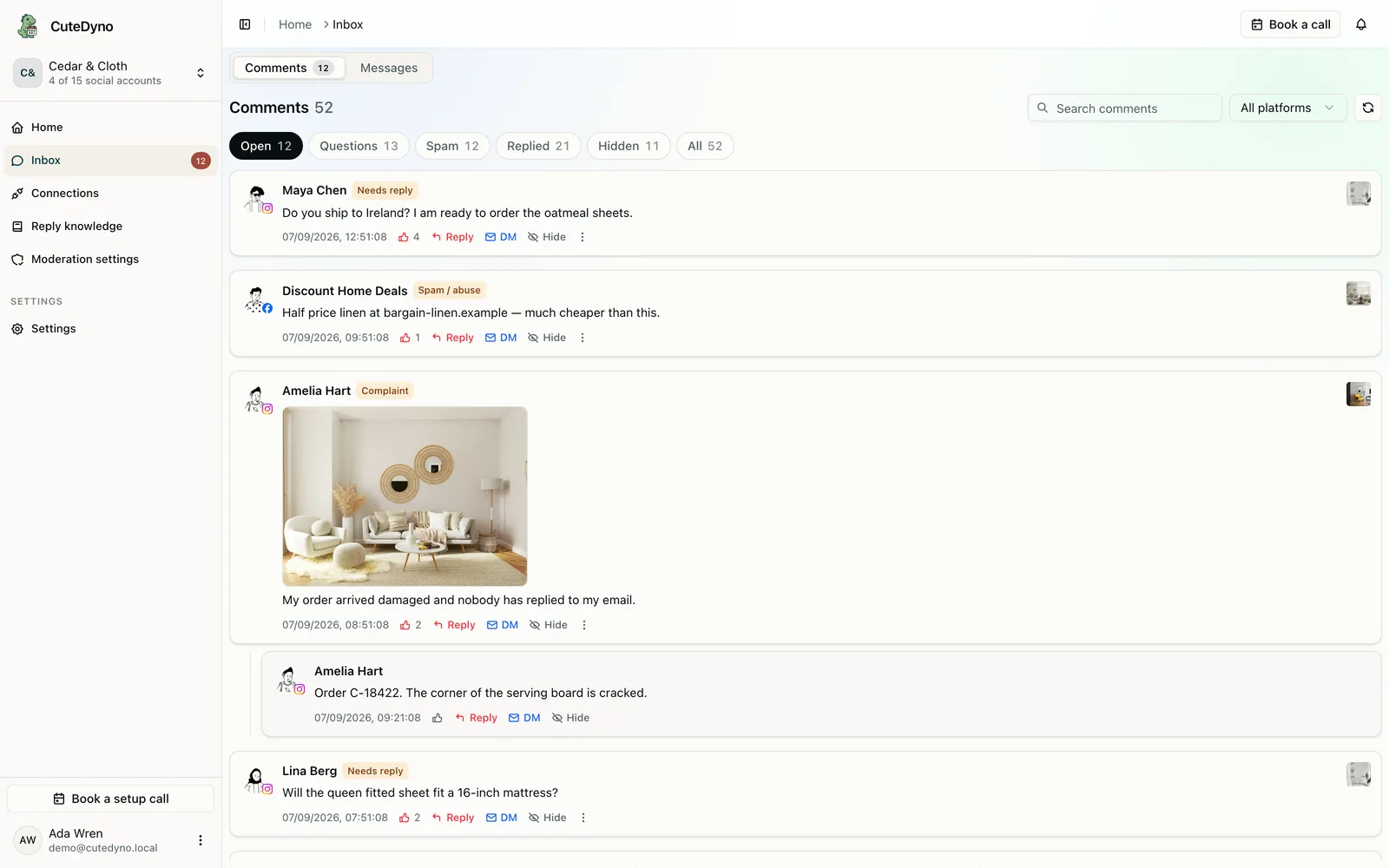
After you export assets, crop for each network with CuteDyno’s image cropper and align visuals with your feed strategy using the Instagram growth hub. See how AI fits a wider workflow in free social media tools for creators. Pair images with AI captions and schedule posts, see pricing for teams.
What Is an AI Image Generator?
An AI image generator is a tool that turns text prompts into images.
You type a description like:
"A cozy reading corner by a window, soft morning light, photorealistic, 4K"
The AI then creates several images that match what you wrote. Most modern AI image generators can handle:
- Photorealistic images
- Illustrations and digital art
- Social media graphics
- Posters, covers and thumbnails
- Simple logo concepts and icons
You don't need drawing skills or design software. You only need the ability to describe what you want in plain language.
Frequently Asked Questions
What is the best AI image generator for beginners?
DALL·E inside ChatGPT is the best AI image generator for most beginners. It's simple, chat-based, produces high-quality results with minimal prompt tweaking, and handles corrections in plain language. Canva AI is best for social media graphics; Adobe Firefly for commercial use; Midjourney for artistic visuals.
Do I need a powerful computer to use AI image generators?
No for cloud tools (DALL·E, Canva, Midjourney, Firefly), they run in the browser or app. Yes for local tools like Stable Diffusion, which need a decent GPU.
Can I use AI images commercially?
It depends on the tool and plan. DALL·E (ChatGPT Plus), Canva Pro, Adobe Firefly, and Midjourney paid plans typically allow commercial use. Check each tool's terms before selling or licensing.
Why do AI images sometimes look weird?
AI can miss details, mix up text, or create odd proportions. Refine with short edits ("fix the hands," "make the text clearer") or regenerate. Iteration usually improves results.
How do I get better at prompting?
Start simple: subject + setting + style. Add one detail at a time. Use examples from the tool's gallery. Avoid long, conflicting instructions. Iterate instead of rewriting from scratch.
Is AI image generation expensive?
Free options exist: Stable Diffusion (local), free tiers of Leonardo, Freepik, Microsoft Designer. Paid plans run roughly $10–$30/month for most creators. Adobe and pro plans cost more.
Quick Overview: Best AI Image Generator Options for Beginners
Here is a simple comparison of the most popular tools beginners look at when searching for the best AI image generator.
| Tool | Best For | Ease of Use | Typical Pricing* |
|---|---|---|---|
| DALL·E (in ChatGPT) | Best overall for beginners | ⭐⭐⭐⭐⭐ | Free tier + paid plans |
| Canva AI | Social media & marketing graphics | ⭐⭐⭐⭐⭐ | Free + Pro subscription |
| Adobe Firefly | Brand-safe commercial use | ⭐⭐⭐⭐☆ | Free tier + Adobe plans |
| Midjourney | Artistic, cinematic visuals | ⭐⭐⭐☆☆ | Paid subscription |
| Stable Diffusion | Free, flexible, highly customizable | ⭐⭐☆☆☆ | Free (local), paid UIs |
*Pricing changes often; always check the latest on the official site.
The Best AI Image Generator for Most Beginners: DALL·E (via ChatGPT)
If you want a tool that is simple, friendly and still powerful, DALL·E inside ChatGPT is the best starting point for most beginners.
Why DALL·E Is Great for Beginners
-
Chat-style interface
You describe what you want just like chatting with a person. You can say things like:- "Make the lighting softer"
- "Change the background to a beach"
- "Turn this into a flat icon instead of a photo"
-
Strong image quality
DALL·E creates high-quality photos, illustrations and concept art with very little prompt tweaking. -
Easy corrections and edits
You do not need complex "prompt engineering". You can refine with short instructions in natural language. -
Good text handling
Compared to many tools, it handles text on posters and banners better, which is useful for thumbnails, ads and social graphics.
When DALL·E Is the Right Choice
DALL·E is ideal if you:
- Are a complete beginner
- Don't want to learn complex settings or tools
- Want an all-purpose generator for photos, art, and graphics
- Prefer a simple, chat-based interface over multiple dashboards and sliders
For a first AI image generator, it is usually the smoothest and most forgiving option.
Canva AI: Best for Social Media and Simple Marketing Graphics
If your main goal is to create Instagram posts, YouTube thumbnails, Pinterest pins, stories, flyers, presentations or ads, Canva AI is one of the best options.
Key Advantages of Canva AI
-
Everything in one place
Generate an image and instantly combine it with text, shapes, icons and templates. -
Template-first approach
You can start with a template sized exactly for the platform you need (YouTube thumbnail, Instagram Reels cover, Facebook ad and more). -
Beginner-friendly editor
Drag-and-drop controls make it easy to adjust layout, colors and fonts without design experience.
When Canva Is the Best AI Image Generator for You
Choose Canva AI if you:
- Post content regularly on social media
- Need branded graphics more than pure art
- Want to create designs quickly without exporting images between different tools
For creators and small businesses, Canva can be the most practical "everyday" AI image generator.
Adobe Firefly: Best for Commercial and Brand-Safe Use
Adobe Firefly is Adobe's AI image generation engine, available in products like Photoshop, Illustrator and Adobe Express.
It is designed with commercial use and brand safety in mind, which matters if you work with clients, agencies or bigger brands.
Why Beginners Might Choose Firefly
-
Integrated into Adobe tools
If you already use Photoshop or Illustrator, Firefly fits naturally into your workflow. -
Clear commercial positioning
Adobe advertises Firefly as trained on licensed and public domain content, which is attractive for businesses that care about legal risk. -
Good controls
Style, aspect ratio, color palette and other details can be adjusted with simple options.
Firefly Is Ideal For
- Designers and marketers already inside the Adobe ecosystem
- Beginners who want AI help but plan to polish results in Photoshop or Illustrator
- Agencies and brand teams that want a tool with strong commercial positioning
Midjourney: Best for Artistic and Cinematic AI Images
When people search for the best AI image generator for art, Midjourney appears in almost every list. It is known for cinematic, stylized, and visually stunning results.
Strengths of Midjourney
-
Highly artistic outputs
Fantastic for fantasy art, concept art, dramatic portraits and poster-like visuals. -
Strong community
Because it runs on Discord, there is a constant stream of examples and prompts to learn from. -
Fine control through prompts
As you gain experience, you can "speak its language" and create very specific styles and compositions.
Why It's Not Always the Best First Tool
- Midjourney runs through Discord, which confuses many first-time users.
- There is usually no permanent free tier; you have to pay to keep using it.
- The interface is noisy and not focused on beginners.
Midjourney is an excellent second or third tool to explore once you are comfortable with basic AI prompting.
Stable Diffusion: Best Free and Customizable Option
Stable Diffusion is an open-source AI image generator. Instead of one official interface, it powers many apps and websites, and you can also install and run it on your own computer.
Why Stable Diffusion Is Popular
-
Free to run locally
Once installed, you can generate as many images as your hardware can handle. -
Huge customization potential
You can install different models and extensions for specific styles like anime, illustration, photo realism, and more. -
Flexible interfaces
Tools like ComfyUI or Automatic1111 offer detailed control over how images are generated.
Challenges for Beginners
- Local installation can be technical and requires a reasonably powerful GPU.
- The number of settings (models, samplers, steps, seeds, CFG scale) can be overwhelming.
- There is no single official beginner-friendly interface; you must pick one.
Stable Diffusion is best if you enjoy technical tools and want maximum control and freedom, rather than a simple plug-and-play experience.
Other Beginner-Friendly AI Image Generators to Try
Beyond the big names, several other tools are worth testing when exploring options for the best AI image generator for your needs:
- Leonardo.ai – Strong for game assets, concept art and stylized illustrations.
- Freepik AI – Good for stock-like images and simple graphics with daily free limits.
- Ideogram – Very strong at adding clear, readable text inside images, good for logos, posters and T-shirt designs.
- Playground AI, Microsoft Designer, Flux, Recraft – Easy, web-based tools with different strengths in realism, illustration or graphic design.
You do not need to master all of these. For most beginners, one or two main tools are more than enough.
How to Choose the Best AI Image Generator for Your Use Case
Instead of chasing every new tool, focus on your real needs. Consider these points when deciding which AI image generator is best for you.
1. Your Main Use Case
-
Social media graphics and marketing
- Canva AI
- DALL·E
- Adobe Firefly
-
Art, illustration, concept art
- Midjourney
- DALL·E
- Leonardo.ai
-
Logos and text-heavy images
- Ideogram
- DALL·E
- Firefly
-
Tinkering and experimentation with full control
- Stable Diffusion
2. Your Learning Curve Tolerance
-
Minimal learning effort
- DALL·E in ChatGPT
- Canva AI
-
Moderate learning, high reward
- Midjourney
- Firefly
-
Technical learning, maximum control
- Stable Diffusion (local)
3. Your Budget
-
Completely free
- Stable Diffusion (local)
- Free tiers of Leonardo, Freepik, Microsoft Designer and others
-
Affordable monthly subscription
- Canva Pro
- Midjourney basic plan
- ChatGPT Plus with DALL·E
-
Professional creative budgets
- Adobe Creative Cloud with Firefly
- Higher-tier Midjourney and other pro plans
Matching your tool to your use case, learning comfort and budget will give you better long-term results than simply picking the most hyped model.
Step-by-Step: Create Your First AI Image as a Beginner
This is a simple workflow you can apply in almost any tool, especially DALL·E or Canva.
Step 1: Start with a Clear, Simple Prompt
Include:
- Subject
- Setting
- Mood or style
- Quality level
Example:
"A minimalist home office desk next to a window, soft natural light, photorealistic, 4K, neutral colors"
Step 2: Choose a Style (Optional but Helpful)
You can add one style phrase such as:
- "digital illustration"
- "watercolor style"
- "flat vector icon"
- "cinematic photo"
Example:
"A fantasy castle on a cliff at sunset, digital painting, high detail, dramatic lighting"
Step 3: Generate Multiple Options
Most tools return 2–4 images. Look at the overall composition first, not tiny details.
Pick the best base image, even if it is not perfect.
Step 4: Refine With Short Edits
Refine in small steps:
- "Make the colors warmer"
- "Zoom out to show more of the scene"
- "Change the background to a nighttime sky"
Short refinements usually work better than rewriting the entire prompt from scratch.
Step 5: Export in the Right Format
- PNG for high-quality graphics, logos and transparent backgrounds
- JPG for photos, social media and web pages where file size matters
Save your prompt text along with your image so you can reproduce or improve the result later.
Prompting Tips to Get Better Results Faster
These simple habits improve image quality in almost any AI image generator:
-
Use specific nouns and adjectives
- Instead of "man in a room", try "middle-aged man sitting at a wooden desk in a small office, warm lighting, realistic photo".
-
Add mood or atmosphere
- Phrases like "soft, cozy lighting", "dramatic shadows", "misty morning", or "high contrast" change the feel of the image quickly.
-
Specify composition when needed
- "Close-up portrait", "wide shot of the landscape", or "top-down view" can help the model frame the scene correctly.
-
Avoid mixing too many styles
- One or two style hints are enough. "Watercolor illustration, pastel colors" is clearer than a long list of conflicting art styles.
-
Iterate instead of restarting
- Adjusting the existing image is usually more effective than starting again from a blank prompt each time.
Legal and Commercial Considerations
When using any AI image generator, especially for business, it is important to pay attention to:
-
Terms of service and licensing
Some tools allow full commercial use on paid plans, while others limit it on free plans. -
Attribution and visibility
Certain platforms may require attribution or may display your creations in a public gallery. -
Client work and branding
For client or brand work, tools like Adobe Firefly and paid plans of major platforms are often preferred due to clearer commercial positioning.
Reading the latest terms on each official site before heavy commercial use is always recommended.
For most beginners, DALL·E inside ChatGPT is the easiest place to start, strong all-round quality, no extra setup. Canva AI for social graphics, Adobe Firefly for commercial work, Midjourney for cinematic stuff, Stable Diffusion if you want free and don't mind technical setup. Pick one, practice with simple prompts, refine step by step. More important than chasing every new model. AI captions pair well with AI images for a full workflow.
More to read: AI Caption Generators · 50 Content Ideas · Free Content Calendar · Schedule Instagram Posts
Ready to publish AI visuals consistently? Try CuteDyno free · View pricing