Best Social Media Scheduler for Small Business 2026
The best social media scheduler for small business in 2026 is an affordable, easy-to-use tool that lets you batch posts across Instagram, Facebook, and TikTok without hiring a full-time social manager. Solopreneurs and SMBs need flat-rate pricing under $25/month, reliable publishing, and enough analytics to learn what works, nothing more complicated than that.

Why Small Businesses Cannot Afford to Post Manually
You already wear every hat, sales, support, bookkeeping, and content. Manual posting means:
- Inconsistency when a busy week kills your feed
- Off-hours publishing because 7 PM is when you finally have a minute
- Platform neglect when LinkedIn gets love but Instagram goes dark
- Opportunity cost, every hour posting is an hour not serving customers
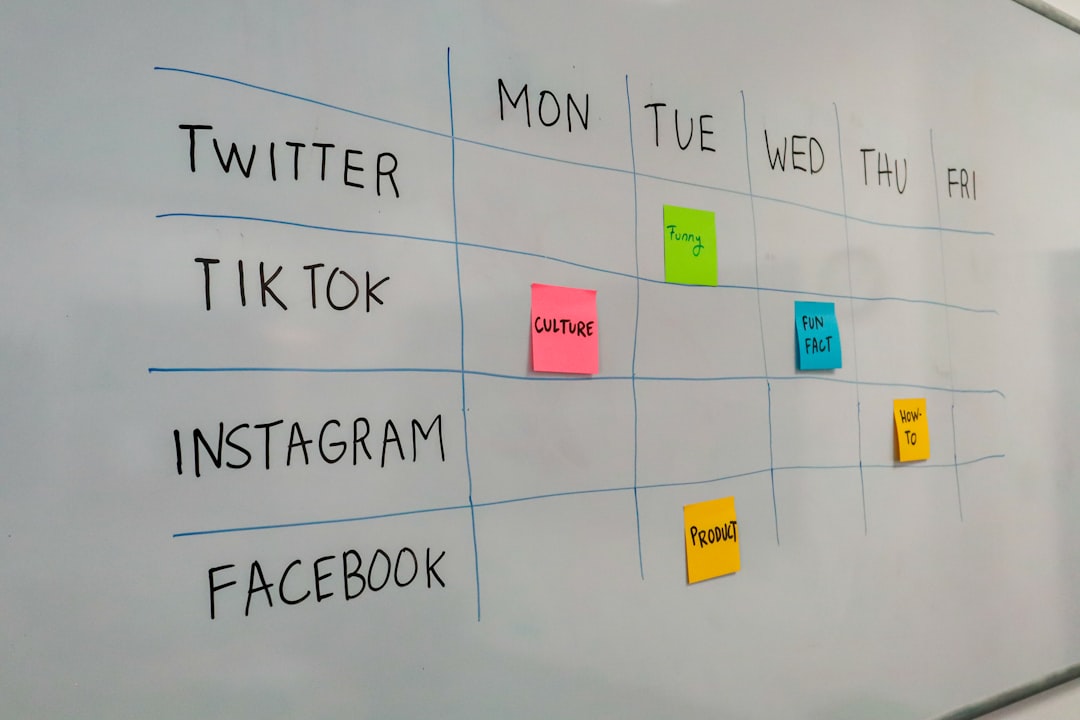
Scheduling flips the model. Block two hours on Sunday, queue the week, and show up daily in feeds without being glued to your phone. Pair that habit with our free content calendar template and best time to post data to maximize reach on a minimal time budget.
Must-Have Features for Small Business Schedulers
Multi-platform support
At minimum: Instagram, Facebook, and either TikTok or LinkedIn depending on your audience. Restaurants and retail skew visual (Instagram + TikTok); B2B consultants lean LinkedIn + Facebook.
Predictable, affordable pricing
Target under $25/month. Watch per-channel tools, Buffer's $6/channel hits $30/month at just five connections. Flat-rate wins as you add a personal brand account or second location page.
Low learning curve
You should connect accounts and schedule your first post within 30 minutes. If onboarding requires a training call, the tool is too heavy.
Basic analytics
Engagement trends, best posting times, and top-performing content types. You do not need enterprise dashboards, just enough to stop guessing.
Reliable publishing
Posts must go live on time. Check reviews for uptime complaints before committing to annual billing.
Best Social Media Schedulers for Small Business 2026
1. CuteDyno
Pricing: $12.50/month (Freelancer) | $25/month (Agency)
Highlights:
- Unlimited social accounts on flat-rate plans
- Calendar view, bulk scheduling, approval workflows
- Instagram, Facebook, TikTok, LinkedIn, YouTube
- Analytics included; client profiles if you pick up side clients
Best for: Solopreneurs who may add a second brand, freelancers with a few clients, or SMBs planning to scale past three channels. Start free · See pricing · Social media scheduler
2. Buffer
Pricing: Free (limited) | $6/month per channel
Highlights:
- Clean, beginner-friendly interface
- Strong Instagram, Facebook, LinkedIn, X support
- Analytics on paid tiers
Best for: Single-location businesses with 3–5 accounts. Costs rise quickly beyond that.
3. Metricool
Pricing: Free | $9.99–19.99/month
Highlights:
- Functional free tier for testing
- Competitor benchmarking and reporting
- Multi-platform including TikTok
Best for: Tight budgets and businesses validating whether social drives leads before upgrading.
4. Later
Pricing: Free tier | $25+/month
Highlights:
- Visual grid planner for Instagram aesthetics
- Hashtag suggestions and best-time insights
- Strong Reels and TikTok workflow
Best for: Visual brands, boutiques, bakeries, salons, where feed appearance drives foot traffic.
5. Pallyy
Pricing: $25/month (1 social set)
Highlights:
- Grid preview and Canva integration
- Unlimited scheduling within one social set
- Instagram and TikTok focus
Best for: One-brand creators who prioritize aesthetic cohesion over multi-location management.
Comparison at a Glance
| Tool | Starting price | Accounts | Best for |
|---|---|---|---|
| CuteDyno | $12.50/mo | Unlimited | Multi-brand SMBs, growing teams |
| Buffer | $6/channel | Per channel | Single brand, few accounts |
| Metricool | Free | 1 brand | Budget testing |
| Later | Free | 3 on free | Instagram-first visual brands |
| Pallyy | $25/mo | 1 set | Aesthetic-focused creators |
Full breakdown: best scheduling tools comparison.
How to Choose: Five Questions for SMB Owners
1. How many accounts do you manage? One storefront with three channels fits Buffer or Metricool. Four or more points to CuteDyno's flat rate.
2. What's your real monthly budget? $0 → Metricool or Later free tier. Under $15 → CuteDyno Freelancer or Metricool Starter. $15–25 → CuteDyno Agency, Pallyy, or Later entry paid.
3. Do you need client or team approval? If a business partner or marketing hire must sign off, pick CuteDyno or Later (higher tiers). Buffer lacks native approvals.
4. Which platforms drive your revenue? Double down scheduling effort where customers actually find you. See vertical guides like scheduler for restaurants or scheduler for real estate if they match your industry.
5. Will you scale in the next 12 months? Choose unlimited-account pricing now so adding a second location does not trigger a 3× tool bill.
Common Small Business Scheduling Mistakes
Overpaying for unused features. Enterprise listening and CRM modules sound impressive; most SMBs never open them.
Ignoring per-channel math. Run the numbers before Buffer scales past five channels.
Skipping the free trial. Test CuteDyno, Buffer, or Metricool for a week with real posts, not dummy content.
Posting without a plan. Even a simple Monday-promo / Wednesday-tip / Friday-UGC rhythm beats random posting. Use the content pillars guide to structure themes.
Writing captions at publish time. Draft captions when you schedule. Stuck? Try the AI caption generator or content ideas generator.
Getting Started in Three Steps
- Pick a tool and start a trial, CuteDyno free trial or Metricool free tier
- Connect your top 2–3 platforms, Usually Instagram, Facebook, and TikTok or LinkedIn
- Schedule your first week, Five posts at optimal times from our best time to post guide
Platform-specific walkthroughs: schedule Instagram · schedule Facebook · schedule LinkedIn
Frequently Asked Questions
What is the cheapest social media scheduler for small business?
Metricool and Later offer free tiers for basic needs. Meta Business Suite is free for Instagram and Facebook only. CuteDyno Freelancer at $12.50/month is the best flat-rate upgrade when you outgrow free limits.
Do small businesses need a paid scheduler?
Not always. Free tools work for one account and light posting. Pay when you need multiple platforms, bulk scheduling, analytics, or team approval.
Can I schedule posts for multiple business locations?
Yes. CuteDyno and SocialPilot handle multiple location pages under one login. Buffer charges per channel, so multi-location costs add up fast.
Does scheduling hurt reach for small businesses?
No. Instagram, Facebook, and TikTok treat scheduled posts the same as manual ones. Consistency from scheduling often improves reach versus sporadic manual posting.
How many posts should a small business schedule per week?
Three to five posts per active platform is a solid starting point. Quality beats volume, one strong Reel outperforms seven lazy reposts.
Should I use Meta Business Suite or a third-party scheduler?
Meta Business Suite is free and fine for one Instagram + Facebook account. Third-party tools like CuteDyno add TikTok, LinkedIn, calendar views, and multi-account support Meta does not offer.
More to read: Affordable Scheduler Guide · Scheduler for Freelancers · Approval Workflows · Free Content Calendar