Best Time to Post on Instagram and TikTok in 2026 (Data-Backed Guide)
The best time to post on Instagram and TikTok in 2026 is when your audience is active and likely to engage in the first hour, not a universal hour copied from a guru infographic. There are smart starting windows and a simple three-week test to find your real peaks. Timing is a multiplier; content quality is still the engine.
Pair timing tests with Instagram growth resources, TikTok growth resources, and short-form safe zones. Automate peak windows with CuteDyno, see pricing for multi-account plans.
Quick Answer: When Should You Post?
Start with baseline windows below, then run a 3-week test at three slots per platform (morning, midday, evening). Score by watch time, shares, saves, and comments. Lock in your top two slots and retest every 3–6 months.
Best Starting Windows (Local Time)
Use as hypotheses, not gospel.
- Weekdays: 7–9 AM, 12–1 PM, 6–9 PM
- Weekends: 9–11 AM, 6–9 PM
TikTok
- Weekdays: 6–9 AM, 12–2 PM, 7–10 PM
- Weekends: 9 AM–12 PM, 7–10 PM
Your niche may differ. B2B skews lunch; teen audiences skew evening.
Why Timing Still Matters in 2026
Instagram and TikTok both weigh early engagement velocity. When the first viewers watch, like, comment, and share quickly, distribution often expands. Posting when followers are online helps that first wave.
Content quality still dominates, see Instagram virality and TikTok virality. Timing amplifies good content; it does not rescue weak content.
How to Find Your Best Posting Time
Step 1: Pull audience activity data
- Instagram: Insights → Total followers → Most active times
- TikTok: Analytics → Followers → Follower activity
Step 2: Pick 3 slots per platform
One morning, one midday, one evening window.
Step 3: Run a 3-week test
- Keep content format consistent (same length band, similar style)
- Post each slot multiple times
- Track reach, watch time, saves, shares, comments
Step 4: Score each slot
Suggested weighting:
- 35% watch time / completion
- 25% shares
- 20% saves
- 20% comments
Top two slots become your default for the next month. Log results in the engagement calculator for easy comparison.
Common Timing Mistakes
- Copying another creator's schedule without testing
- Random daily posting times
- Changing hook, length, and time simultaneously (no clean data)
- Judging from a single post
- Ignoring time zones for global audiences
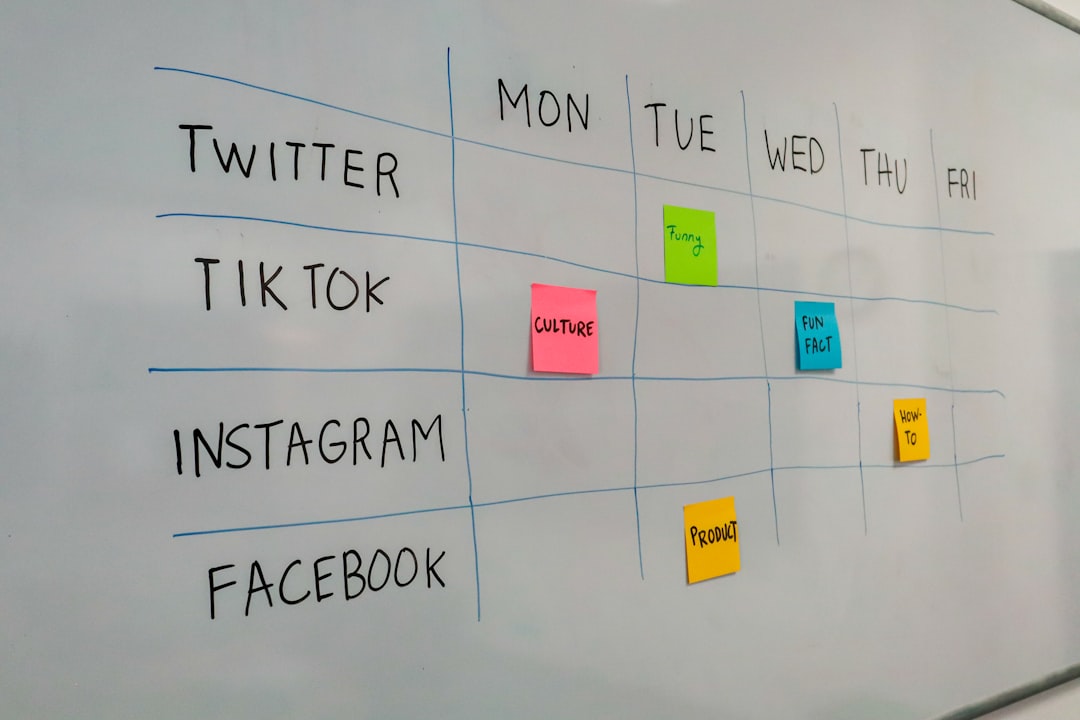
Recommended Weekly Cadence
| Platform | Suggested volume |
|---|---|
| 4–6 Reels + 2 carousels | |
| TikTok | 5–7 videos |
| Stories | Daily for warm traffic |
Build the rhythm with TikTok posting schedule guide, schedule TikTok posts, schedule Instagram posts, and the free content calendar.
Scheduling Without Living on Your Phone
You do not need to be online at 7 AM to post at 7 AM. Native schedulers and CuteDyno publish at peak times while you sleep, batch-create, or moderate comments. Scheduling does not hurt reach, weak content does.
Stuck on what to post each slot? Rotate topics from the content ideas generator.
Does Posting Time Matter More Than Content?
No. Retention and hooks matter more. Great content at a strong time beats great content when your audience is offline. Bad content at the perfect time still flops.
Frequently Asked Questions
What if my audience is in different time zones?
Post when your largest segment is active. Check follower locations in Insights/Analytics. Global audiences often overlap around lunch or early evening in a primary timezone.
Should I post at the exact same time every day?
Consistency within your best window matters more than the exact minute. 7:00 PM vs. 7:30 PM rarely changes outcomes.
How often should I retest posting times?
Every 3–6 months, or sooner if reach drops without content changes. Seasons and algorithm updates shift habits.
Do weekends perform differently?
Often yes. Many audiences scroll more on weekend mornings. Confirm in your analytics chart, not assumptions.
Can scheduling tools hurt reach?
No. What matters is quality and posting when your audience is active. Try CuteDyno free.
Should Instagram and TikTok use the same times?
Not necessarily. Run separate tests. Many creators stagger posts 30–90 minutes apart to manage engagement windows.
Industry-Specific Timing Notes (2026)
Timing baselines shift by audience. Use these as hypotheses only, always confirm in Analytics:
| Niche | Instagram tendency | TikTok tendency |
|---|---|---|
| B2B / professional | Weekday lunch (12–1 PM) | Tue–Thu morning |
| Fitness | Early AM or post-work (6–8 PM) | 6–9 AM and 7–9 PM |
| Food / restaurants | 11 AM–1 PM, 5–7 PM | 12–2 PM, 6–9 PM |
| Gen Z entertainment | Evenings + weekends | Late evening peaks |
| E-commerce | Lunch + evening commute | Weekend mornings |
Global brands should prioritize the timezone where most revenue or followers concentrate, then retest quarterly. Pair timing with Instagram virality tactics and TikTok virality tactics, great timing cannot fix weak hooks.
Building a Timing + Scheduling Stack
Once you identify top slots:
- Lock them in your content calendar
- Batch film so you always have assets ready for peak windows
- Schedule through CuteDyno or native tools, schedule Instagram, schedule TikTok
- Review performance every Friday; adjust one variable at a time
Affordable scheduler comparison if you are evaluating tools.
Sample 3-Week Test Log (Template)
| Date | Platform | Slot | Post type | Reach | Watch % | Saves | Shares | Notes |
|---|---|---|---|---|---|---|---|---|
| Mon W1 | IG | 7:30 AM | Reel tip | , | , | , | , | Baseline |
| Wed W1 | IG | 12:15 PM | Carousel | , | , | , | , | Compare AM |
| Fri W1 | IG | 7:00 PM | Reel story | , | , | , | , | Evening test |
Repeat for TikTok with the same format held constant. Score slots at end of Week 3; promote top two to default schedule. Retest when audience demographics shift or after major algorithm updates.
The best time to post is when your audience is active and likely to engage fast. Start with proven windows, test for three weeks, lock in winners, and schedule so consistency does not depend on willpower.
More to read: Schedule Instagram Posts · Schedule TikTok Posts · TikTok Posting Schedule · Free Content Calendar · Affordable Scheduler