Reporting
Read delivery results, state history, audit events, and request logs back into your own reporting.
Once a post leaves your system, four sources tell you what happened to it. Each answers a different question, and reaching for the wrong one is why "why didn't this publish?" takes longer than it should.
| Source | Answers |
|---|---|
GET /v1/posts/:id | What did each account do with this post? |
GET /v1/posts/:id/history | How did it get to its current status? |
GET /v1/events | Who or what caused a change? |
GET /v1/logs | What did my integration actually send? |
Per-account results
A post is one object that fans out to several accounts, so success is not a single boolean. results carries one entry per target, written as each account completes:
{
  "post": {
    "id": "9f1c…",
    "status": "partially_published",
    "results": [
      {
        "targetId": "3f2a…",
        "platform": "instagram",
        "pageName": "Acme Coffee",
        "status": "success",
        "result": { "id": "17912345678901234" }
      },
      {
        "targetId": "8b41…",
        "platform": "tiktok",
        "pageName": "acme",
        "status": "failed",
        "error": "spam_risk_too_many_posts"
      }
    ]
  }
}
results is null until publishing starts. result holds the platform's own response, which is where you find the native post id to link to — Instagram returns a media id, YouTube a video id, and LinkedIn a URN. The shape differs per platform because it is passed through untouched rather than flattened into a lowest common denominator.
Store targetId and the native id together. That pairing is what lets you show "live on Instagram" next to a link, and it is the only durable join between your records and the platform's.
Why a post ended up where it is
history is the transition log, oldest first:
{
  "history": [
    { "fromState": null, "toState": "scheduled", "reason": null, "createdAt": "2026-08-01T09:00:00Z" },
    { "fromState": "scheduled", "toState": "processing", "reason": null, "createdAt": "2026-08-01T12:00:02Z" },
    { "fromState": "processing", "toState": "partially_published", "reason": "1 of 2 accounts failed", "createdAt": "2026-08-01T12:00:19Z" }
  ]
}
reason is populated on the transitions where something was decided — a cancellation, a rejection, a partial publish — and null on the routine ones. When a customer asks why a post went out three minutes late, this is the answer, and it is cheaper than reading your own logs.
Who did it
Audit events name the actor behind each change, which matters as soon as more than one thing can act on a profile:
const { events } = await cutedyno.events.list({
  profileId: customer.cutedynoProfileId,
  limit: 50,
});

for (const event of events) {
  // actorType: 'api_key' | 'user' | 'system'
  console.log(event.createdAt, event.actorType, event.action, event.resourceId);
}
apiKeyId distinguishes one integration from another, so an agent key and your own backend key are separable in a report. system covers work CuteDyno did on its own — a scheduled post firing, a token refreshed. metadata carries whatever was relevant to that action and is deliberately untyped; treat it as display material rather than something to branch on.
What your integration sent
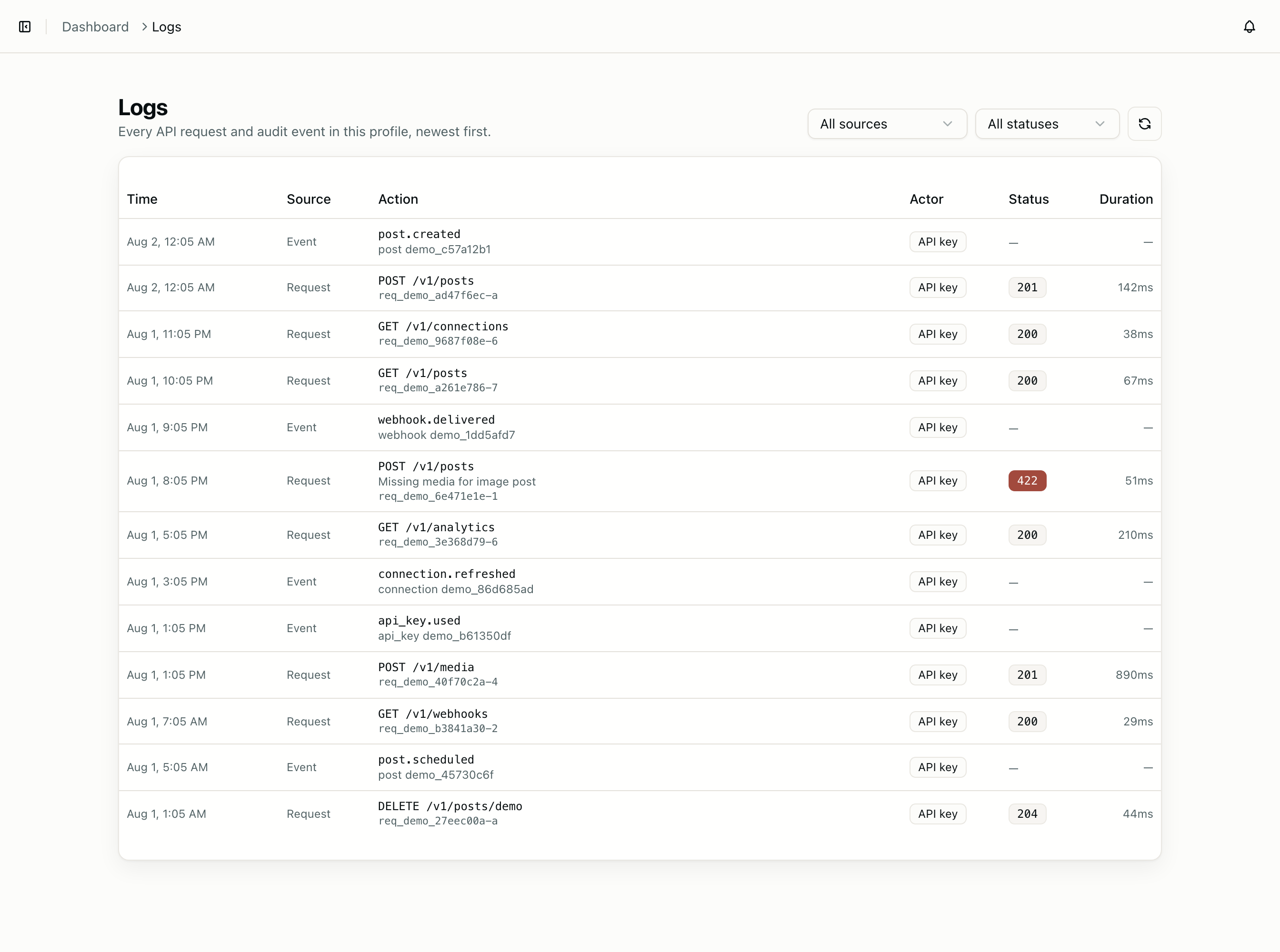
Request logs are your own traffic, replayed back with status codes and timings:
const { logs } = await cutedyno.logs.list({ limit: 100 });

const failures = logs.filter((entry) => entry.statusCode >= 400);
Every entry carries the requestId that was returned in the failing response, so a support conversation can start from an identifier both sides can see. durationMs is measured server-side, which makes it the honest number to compare against your own client-side timing when you suspect the network rather than the API.
This is the endpoint to check first when a call "did nothing" — an absent log entry means the request never arrived, which is a different problem from a rejected one.
Building a reporting loop
Polling all four endpoints on a timer is the wrong shape. Subscribe to webhooks and treat the endpoints as detail lookups:
app.post('/webhooks/cutedyno', async (req, res) => {
  const event = cutedyno.webhooks.verify(req.rawBody, req.headers, SECRET);
  res.sendStatus(200);

  if (event.type === 'post.published' || event.type === 'post.failed') {
    const { post } = await cutedyno.posts.get({ id: event.data.postId });
    await recordDelivery(post);
  }
});
The webhook says something changed; the fetch tells you what it became. Doing it this way keeps you inside the rate limit no matter how many profiles you run, because traffic scales with activity rather than with the number of customers. Webhooks covers verification and the retry schedule.
Platform metrics
Views, reach, saves, and watch time are collected per published post, but they are not on the v1 API yet — they are visible in the dashboard. What each platform exposes differs enough that a single flattened shape would misrepresent most of them; Platforms lists what is available per network.
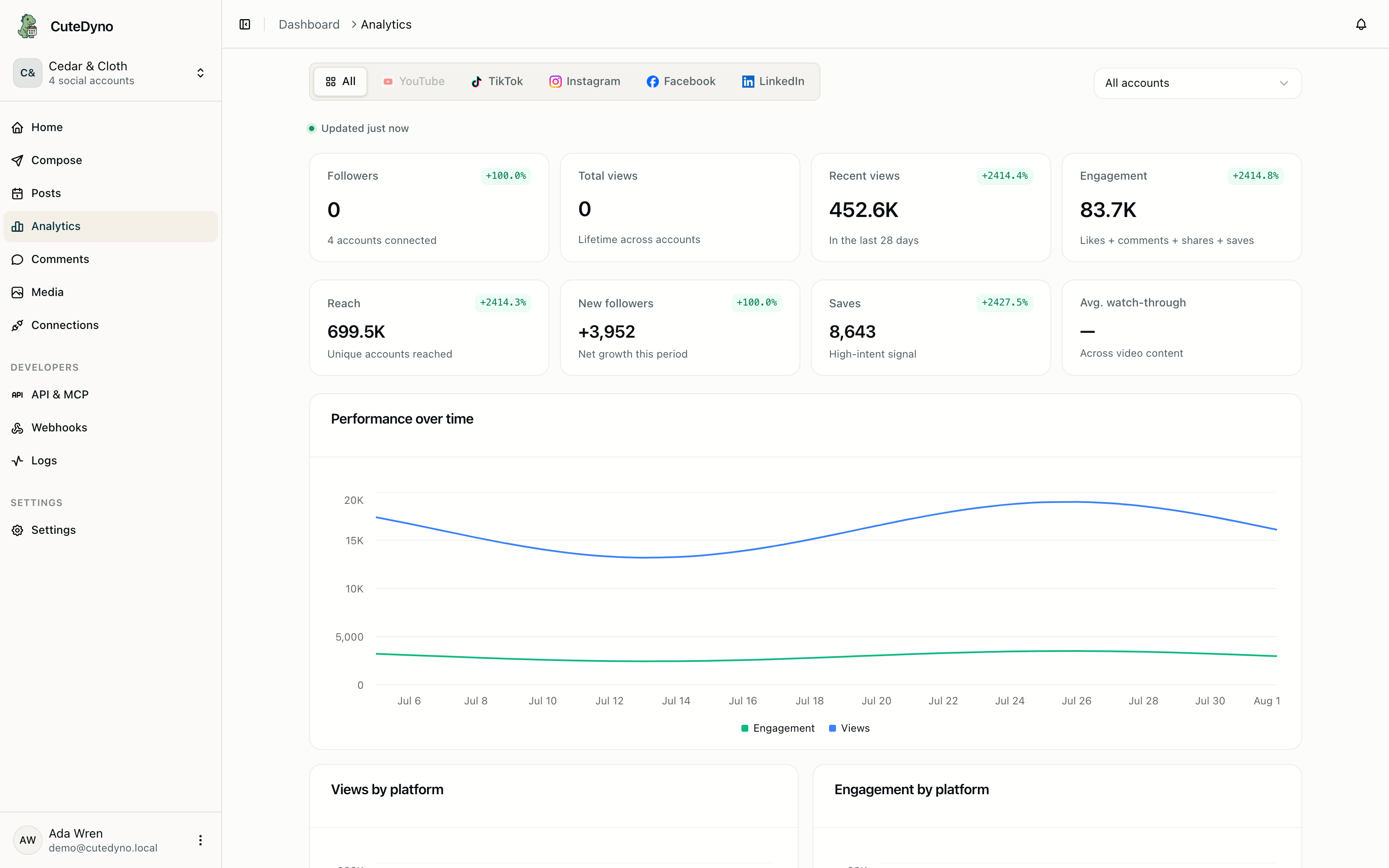
Until that lands, the native post id in results[].result is the hook you need: it is what you pass to a platform's own insights API if you already hold that access, and what you store so a later backfill has something to join on.
Request and audit logs in the dashboard
The same events and request logs are also visible under Logs when you need to show a teammate what an integration did without opening a terminal.