Connecting accounts
Run the OAuth flow that links a social account to a CuteDyno profile.
Before anything can be published, someone has to grant CuteDyno permission to post on their behalf. You start a connect session, send the user to the platform, and CuteDyno handles the callback, the token exchange, and the refresh cycle from there.
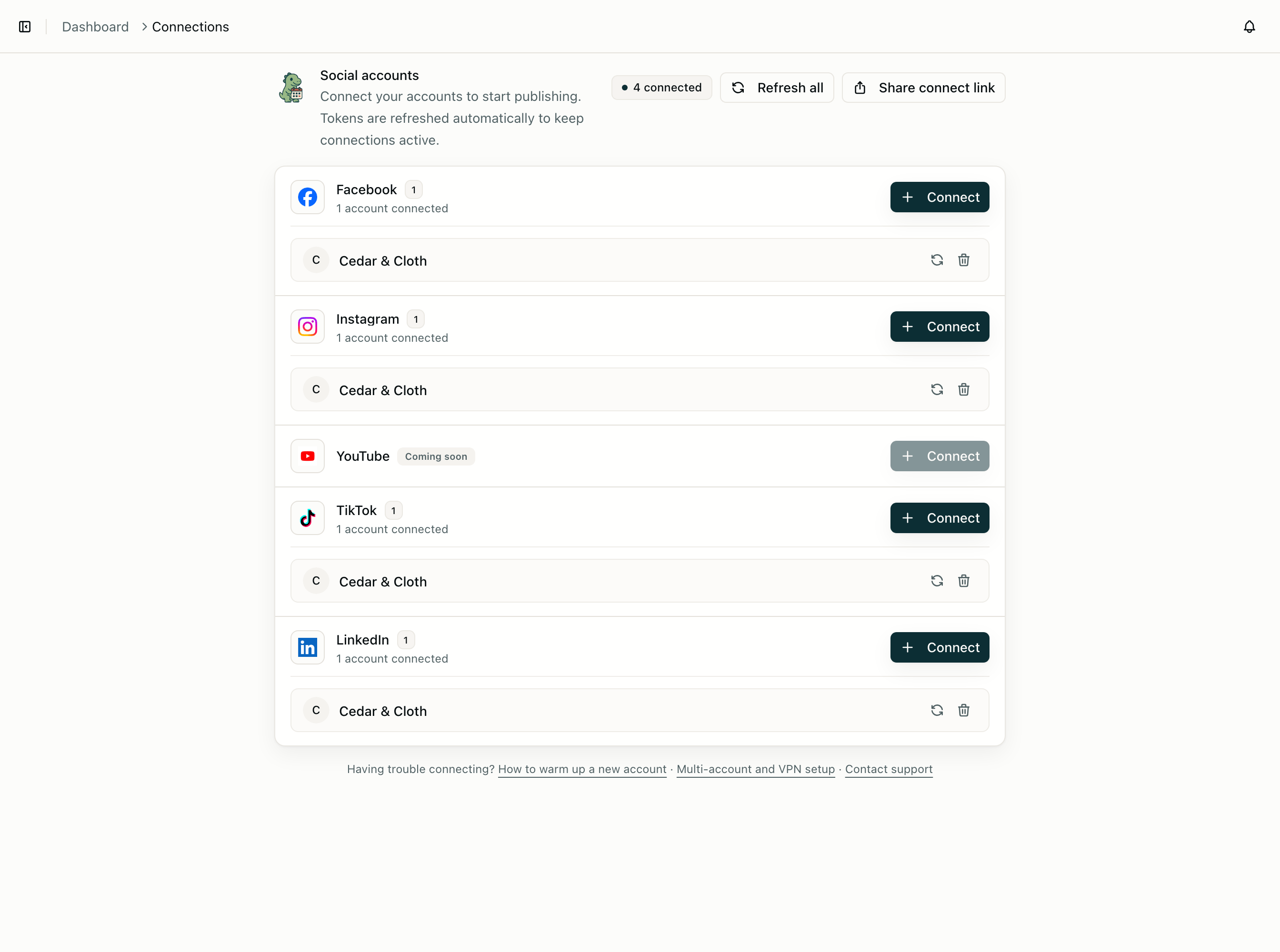
Four platforms connect this way today: facebook, instagram, tiktok, and linkedin.
youtubeis not connectable yet. It is pending Google's OAuth verification, so a connect session for it will not complete. See the YouTube platform page.
The flow
1. POST /v1/connect/sessions   ->  authUrl + session.id
2. Send the user to authUrl    ->  they approve on the platform
3. Platform redirects back     ->  CuteDyno exchanges the code
4. connection.completed webhook->  the account is usable
Steps 3 and 4 happen without you. You need to build steps 1 and 2, and listen in step 4.
Start a session
const { authUrl, session } = await cutedyno.accounts.connect({
  platform: 'instagram',
  profileId: 'prof_customer_42',
  redirectUrl: 'https://yourapp.com/settings/social?connected=instagram',
});

// Redirect the user, or open authUrl in a popup.
redirectUrl must be HTTPS, and it is where the user lands when the flow finishes — success or failure. Send them back to the screen they started from, not to a bare confirmation page; people connect accounts in the middle of doing something else.
Sessions expire. Treat authUrl as single-use and short-lived: generate one when the user clicks Connect, not when the settings page renders.
profileId decides which customer gets the account. Omit it and the account lands in the API key's home profile, which is what you want for a single-tenant setup and almost never what you want on a platform. See Build a platform.
Know when it finished
Subscribe to connection.completed. It is the only reliable signal, because the user might approve on their phone while your tab sits idle, or abandon the flow entirely.
if (event.type === 'connection.completed') {
  const { profileId, account } = event.data;
  await db.socialAccounts.insert({
    customerId: profileId,
    accountId: account.id,
    platform: account.platform,
    handle: account.username,
  });
}
Also handle connection.failed, which carries an errorMessage explaining what the platform rejected. Surface that text; it is usually actionable ("this Instagram account is not a professional account").
If you need to check state directly — for a status page, or because a user is watching a spinner — poll the session:
const { session, accounts } = await cutedyno.accounts.getConnectSession(session.id);
// session.status: 'pending' | 'completed' | 'failed' | 'expired'
Poll at most every few seconds, and stop once the status leaves pending. Do not use polling as your source of truth; use it to make the UI feel alive while the webhook does the real work.
Two IDs per account
Every connected account has both:
{
  "id": "3f2a…",
  "platformAccountId": "17841400000000000",
  "platform": "instagram",
  "name": "Acme Coffee",
  "username": "acmecoffee"
}
id is CuteDyno's. platformAccountId is the platform's, useful for reconciling with data you already hold from a previous integration. Endpoints that take account IDs — accountIds on a post, accountId on comments, allowedAccountIds on a key — accept either, so you do not have to migrate stored IDs to start using CuteDyno.
accountId is a deprecated alias of id, kept so older clients keep working. Use id.
Platform requirements
Most failed connections are not bugs; they are accounts that were never eligible.
| Platform | Requirement |
|---|---|
| A Professional (Business or Creator) account, linked to a Facebook Page. Personal accounts cannot be posted to via any API. | |
| A Page, and the connecting user must have a Page admin or content role. Personal profiles are not supported. | |
| TikTok | Any account, but unaudited apps can only post privately. See TikTok. |
| A personal profile or a Company Page you administer. | |
| YouTube | Pending Google verification, not connectable yet. Will require a channel on the Google account being connected. |
Publish the relevant requirement next to your Connect button. It saves a support ticket per user.
Reconnecting
Tokens get revoked: a user changes their password, removes your app, loses admin rights on a Page, or the platform expires a long-lived token. When that happens, publishing starts failing with account_disconnected.
The fix is the same flow again. Start a new session for the same platform and profile, and CuteDyno replaces the credentials on the existing account rather than creating a duplicate. Watch for account.disconnected webhooks and prompt the user before they discover it from a failed post.
Listing what is connected
const { accounts } = await cutedyno.accounts.list({ profileId: 'prof_customer_42' });Show this list in your own UI, keyed by platform, and offer Connect for platforms that are missing. Read it fresh rather than trusting your mirror of it — an account can disappear from CuteDyno's side when a user revokes access on the platform.
In the dashboard, the same list lives under Connections.
Next
- Media uploads — get images and video into a post
- Build a platform — connect accounts on behalf of your customers
- Webhooks — the full event list