Publishing
Drafts, schedules, per-platform options, and what to do when one account fails.
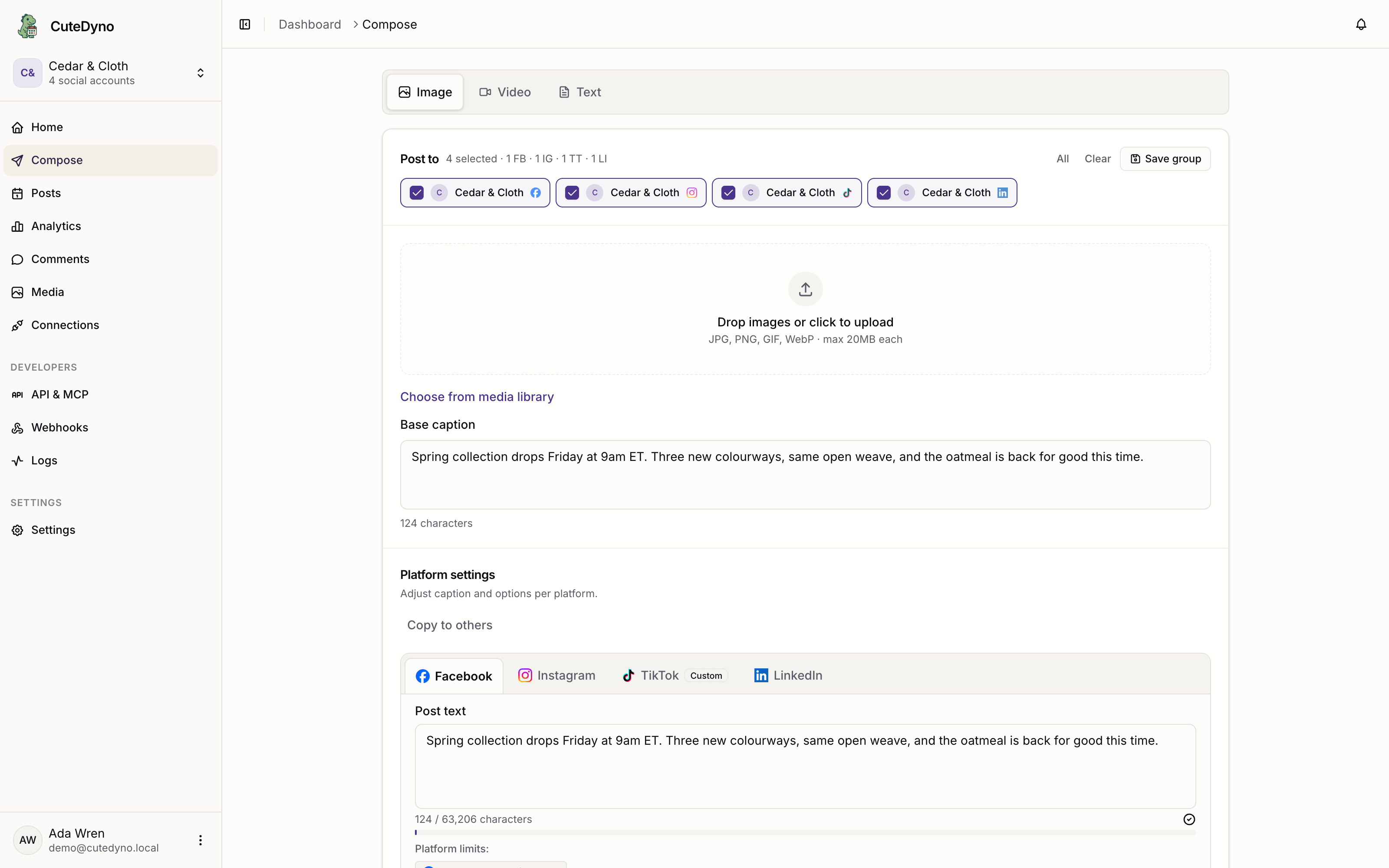
One post can target several accounts on several platforms. CuteDyno accepts it as a single object, then fans it out — each account is published independently, with that platform's rules applied.
That independence is the thing to design around. A post is not one operation that succeeds or fails; it is several, and they can disagree.
The same fan-out is what the dashboard composer does when you select multiple accounts and per-network captions.
The three modes
There is no mode parameter. What you send decides:
// Draft — saved, nothing goes out
await cutedyno.posts.create({ content: 'Rough idea', accountIds });

// Scheduled
await cutedyno.posts.create({
  content: 'Autumn range is live.',
  accountIds,
  scheduledAt: '2026-09-01T09:00:00Z',
});

// Now
await cutedyno.posts.create({ content: 'We are live.', accountIds, publishNow: true });
Sending both scheduledAt and publishNow is rejected rather than guessed at. A scheduledAt in the past publishes immediately; more than 180 days out is refused.
A draft may omit accountIds entirely — useful when a human picks the accounts later. Scheduling or publishing without them is an error, since there is nowhere to send it.
Status, and what each one means
draft ──────────┐
                ├─→ scheduled ─→ queued ─→ processing ─→ published
pending_approval ┘                                    ├─→ partially_published
                                                      └─→ failed
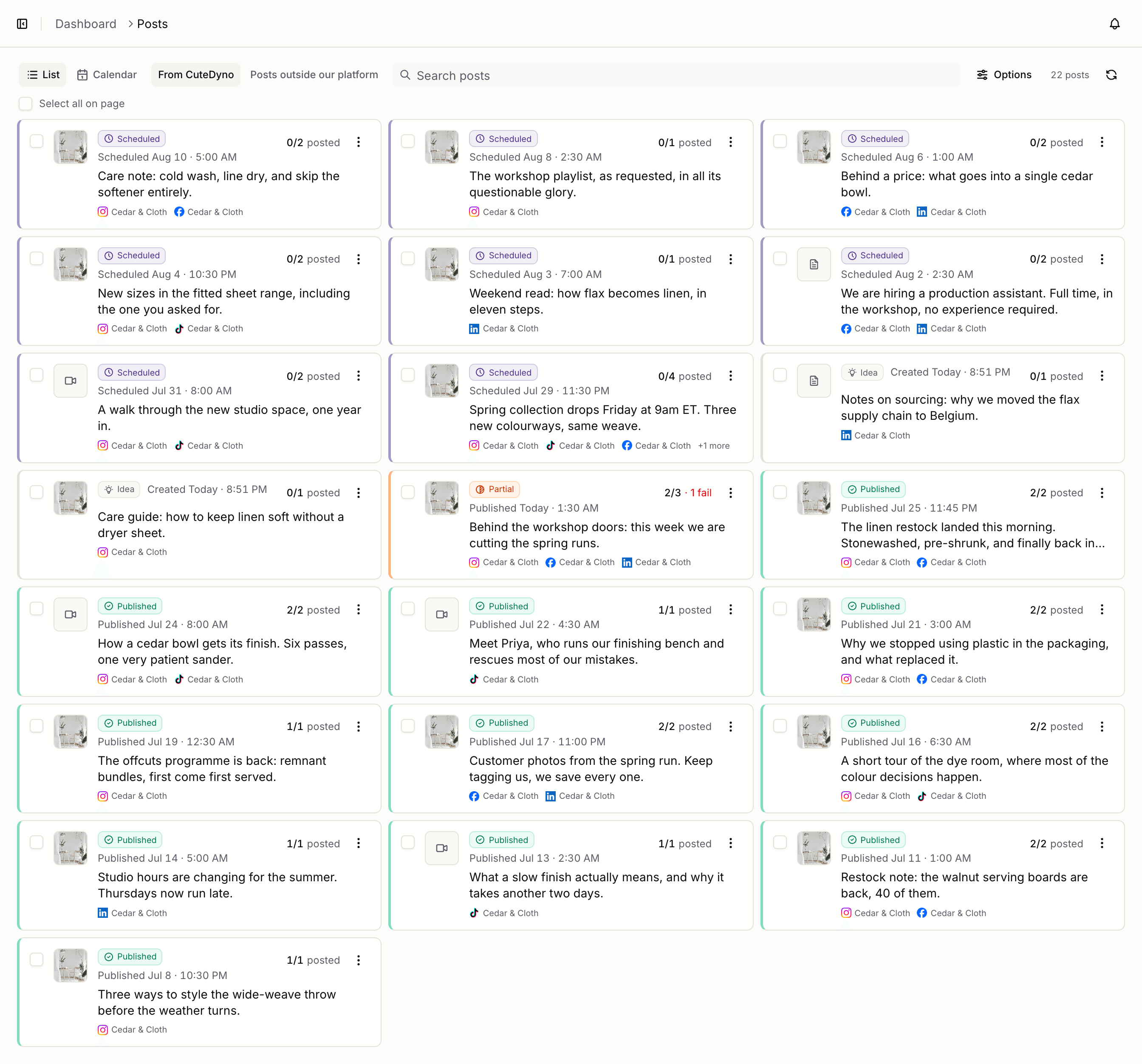
queued means a worker has it. processing means bytes are moving. The gap between scheduled and published depends on the platform and the size of the media, so treat publishing as asynchronous even when you asked for it now.
The full table is in the API overview.
Per-platform options
The same text rarely suits every network, and some platforms require fields the others do not have. platforms carries options that apply only to accounts on that platform:
await cutedyno.posts.create({
  content: 'Behind the scenes of the shoot.',
  media: [{ type: 'video', url: videoUrl }],
  accountIds: [tiktokId, youtubeId, linkedinId],
  platforms: {
    tiktok: {
      title: 'Behind the scenes',
      privacy_level: 'PUBLIC_TO_EVERYONE',
      disable_duet: true,
    },
    youtube: {
      title: 'Behind the scenes of the autumn shoot',
      privacyStatus: 'public',
      tags: ['fashion', 'bts'],
    },
    linkedin: {
      visibility: 'PUBLIC',
    },
  },
});
Options for a platform you are not posting to are ignored, so a single template can carry all of them. YouTube is the one platform with a required option: it will not accept a video without platforms.youtube.title.
See the platform guides for the full option list and media specs per network.
Validate first
POST /v1/posts/validate runs the same checks as create and writes nothing:
const result = await cutedyno.posts.validate({
  content: 'Autumn range is live.',
  accountIds,
  scheduledAt: '2026-09-01T09:00:00Z',
});

result.valid;    // false if it would be rejected
result.errors;   // same codes and messages create would return
result.warnings; // e.g. "This profile requires approval…"
Use it to drive a form in your own UI, and read warnings — that is where you learn that a post will go to review instead of publishing, before your user wonders why nothing happened.
Editing and cancelling
Drafts, scheduled, queued, and failed posts can be edited. Published, processing, and partially published posts cannot — the content is already on a platform, and CuteDyno will not pretend otherwise.
await cutedyno.posts.update(postId, { scheduledAt: '2026-09-02T09:00:00Z' });
await cutedyno.posts.cancel(postId); // scheduled or queued only
Editing the content of a post that required approval sends it back for review. Approval attaches to what was approved, not to the post ID.
When one account fails
const { post } = await cutedyno.posts.retrieve(postId);

if (post.status === 'partially_published') {
  for (const result of post.results) {
    if (result.status === 'failed') {
      console.error(result.platform, result.pageName, result.error);
    }
  }
}
Then requeue only what failed:
await cutedyno.posts.retry(postId);Retry skips accounts that already succeeded, so it cannot double-post. It accepts failed and partially_published posts only.
Not every failure is worth retrying. A revoked token needs the user to reconnect; a video too long for TikTok needs a different video. Read result.error before retrying in a loop — the same request will fail the same way.
Don't poll
Polling every post until it settles works, and wastes most of your rate limit discovering that nothing has changed. Subscribe once instead:
await cutedyno.webhooks.create({
  url: 'https://yourapp.com/webhooks/cutedyno',
  events: [
    'post.published',
    'post.partially_published',
    'post.failed',
  ],
});
The payload carries the per-account results, so you usually do not need to fetch the post at all. See Webhooks.
Listing history
const { posts, total, hasMore } = await cutedyno.posts.list({
  status: 'failed',
  platform: 'tiktok',
  page: 1,
  limit: 50,
});
Or let the SDK walk the pages:
for await (const post of cutedyno.posts.iterate({ status: 'failed' })) {
  const { history } = await cutedyno.posts.history(post.id);
  console.log(post.id, history.at(-1)?.reason);
}
history is the per-post audit trail: every transition, who caused it, and the reason recorded at the time. It is the first place to look when someone asks why a post did not go out.
In the dashboard, the same queue is Posts — drafts, scheduled, published, and partial failures in one list.
Next
- Media uploads — images and video
- Platform guides — per-network rules
- Idempotency — safe retries