Authentication
API keys, profile access, optional restrictions, and how to keep keys safe.
Every request to https://api.cutedyno.com carries an API key as a bearer token:
curl https://api.cutedyno.com/v1/profiles \
  -H "Authorization: Bearer $CUTEDYNO_API_KEY"
There is no OAuth dance for your own access and no session cookie. A key is the whole story. Keys start with cdyn_live_, and CuteDyno stores only a hash — the full value is shown exactly once, when the key is created.
Every new key has full API access. You limit what it can reach with profile access and optional restrictions, not with permission presets.
Create a key
const { key, secret } = await cutedyno.apiKeys.create({
  name: 'Publishing worker',
});

// `secret` is the only time you will see the full key.
console.log(secret);
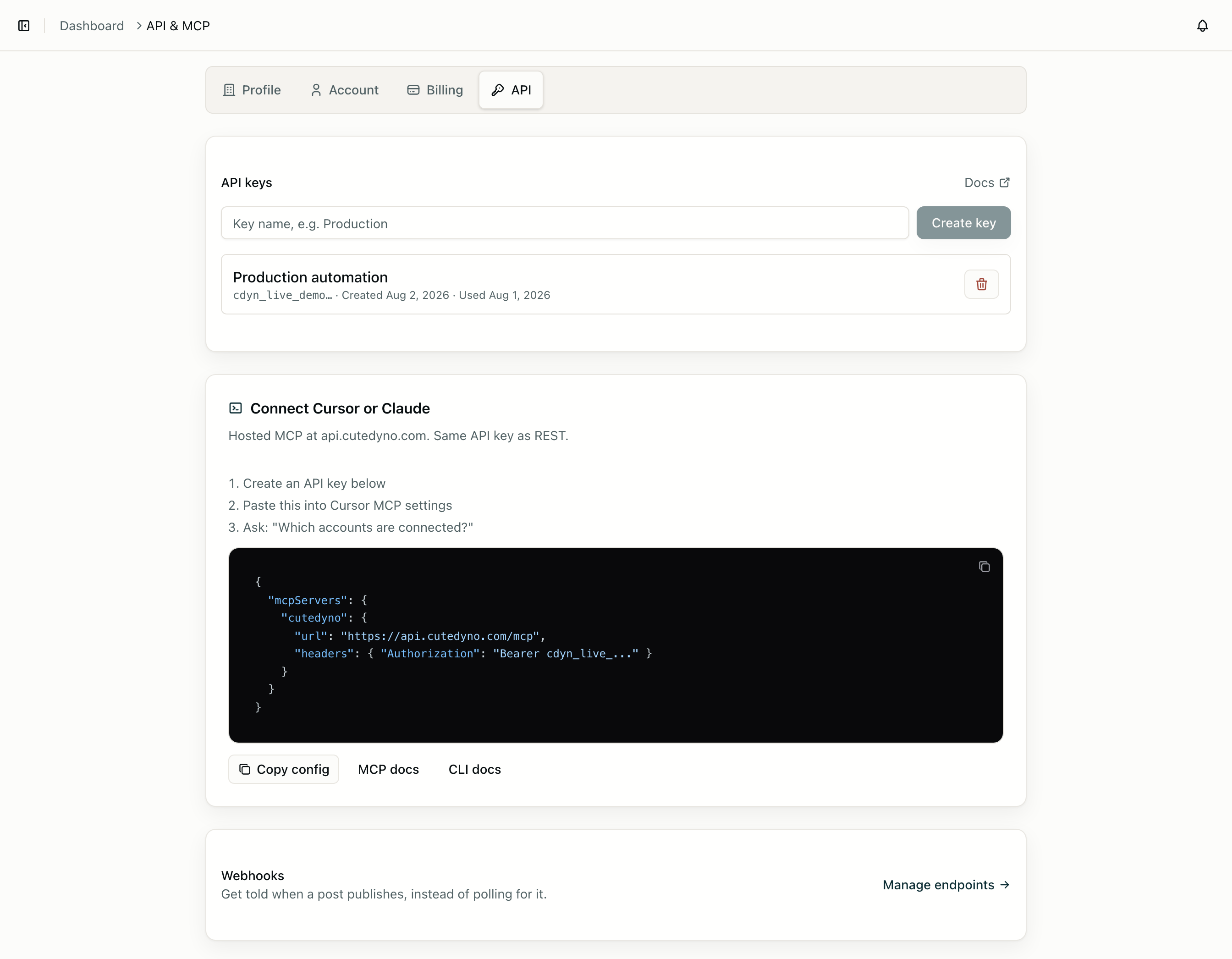
Mint keys in the dashboard under Developers → API, or with POST /v1/api-keys.
Profile access
Every key has a home profile — the profile it was created in. What varies is how far beyond that it can reach.
- Omit
profileIdsand the key can act on every profile in the account. This is the key a platform integration wants. - Set
profileIdsand the key is limited to that list. This is the key you hand to a customer, a contractor, or an agent.
const { secret } = await cutedyno.apiKeys.create({
  name: 'Acme only',
  profileIds: [acme.id],
});
Requests choose their profile with a profileId query parameter or body field. Leave it out and the request lands on the key's home profile, which is why single-tenant integrations never have to think about profiles at all.
// Account-wide key acting on one specific customer.
await cutedyno.posts.list({ profileId: acme.id });

// Same call from a key whose home profile is Acme.
await cutedyno.posts.list();
Asking for a profile the key cannot reach fails with 403 and code profile_not_accessible. That is the same answer whether the profile belongs to somebody else or does not exist, so the API cannot be used to probe for valid IDs.
Note one deliberate restriction: a key with profileIds set cannot mint further keys. Only account-wide keys can call POST /v1/api-keys, so a leaked customer key cannot widen its own access.
Optional restrictions
Three optional limits narrow a key further:
await cutedyno.apiKeys.create({
  name: 'Instagram-only worker',
  profileIds: [acme.id],
  allowedAccountIds: [instagramAccount.id],
  maxPostsPerDay: 10,
  expiresIn: 30,
});| Field | Effect when set |
|---|---|
allowedAccountIds | Posts may only target these connected accounts. Anything else returns account_not_allowed. |
maxPostsPerDay | Caps posts created by this key, resetting at midnight UTC. Over the cap returns daily_post_limit. |
expiresIn | Days until the key stops working. After that, requests return api_key_expired. |
Approval is not a key setting. To require a human before posts publish, set requireApproval on the profile policy instead.
Rotation
To rotate without downtime: create the new key, deploy it, confirm traffic has moved by watching lastUsedAt on the old key in GET /v1/api-keys, then revoke the old one with DELETE /v1/api-keys/:id. Both keys work during the overlap. Revocation takes effect on the next request.
Keeping keys safe
- Never ship a key to a browser, mobile app, or desktop app. All three are readable by users. Proxy through your own backend.
- Use a separate key per environment and per service, so revoking one thing does not take down everything.
- Prefer
profileIdsover handing out account-wide keys when a caller only needs one customer. - Audit usage in
GET /v1/logs: every authenticated request is recorded with the key that made it, its route, status, and duration.
Authentication errors
| Code | Status | Meaning |
|---|---|---|
authentication_required | 401 | No Authorization header, or it was not a bearer token. |
invalid_api_key | 401 | The key does not exist, was revoked, or is malformed. |
api_key_expired | 401 | The key passed its expiresAt. |
insufficient_permission | 403 | Valid key, but this action is not allowed — for example a profile-scoped key minting another key. |
profile_not_accessible | 403 | The key is not scoped to the requested profile. |
invalid_profile_id | 400 | profileId was sent but was not a string. |
None of these are worth retrying — nothing about the outcome will change on a second attempt. Full list in the error reference.