
Image comment moderation
Visual spam does not sneak past

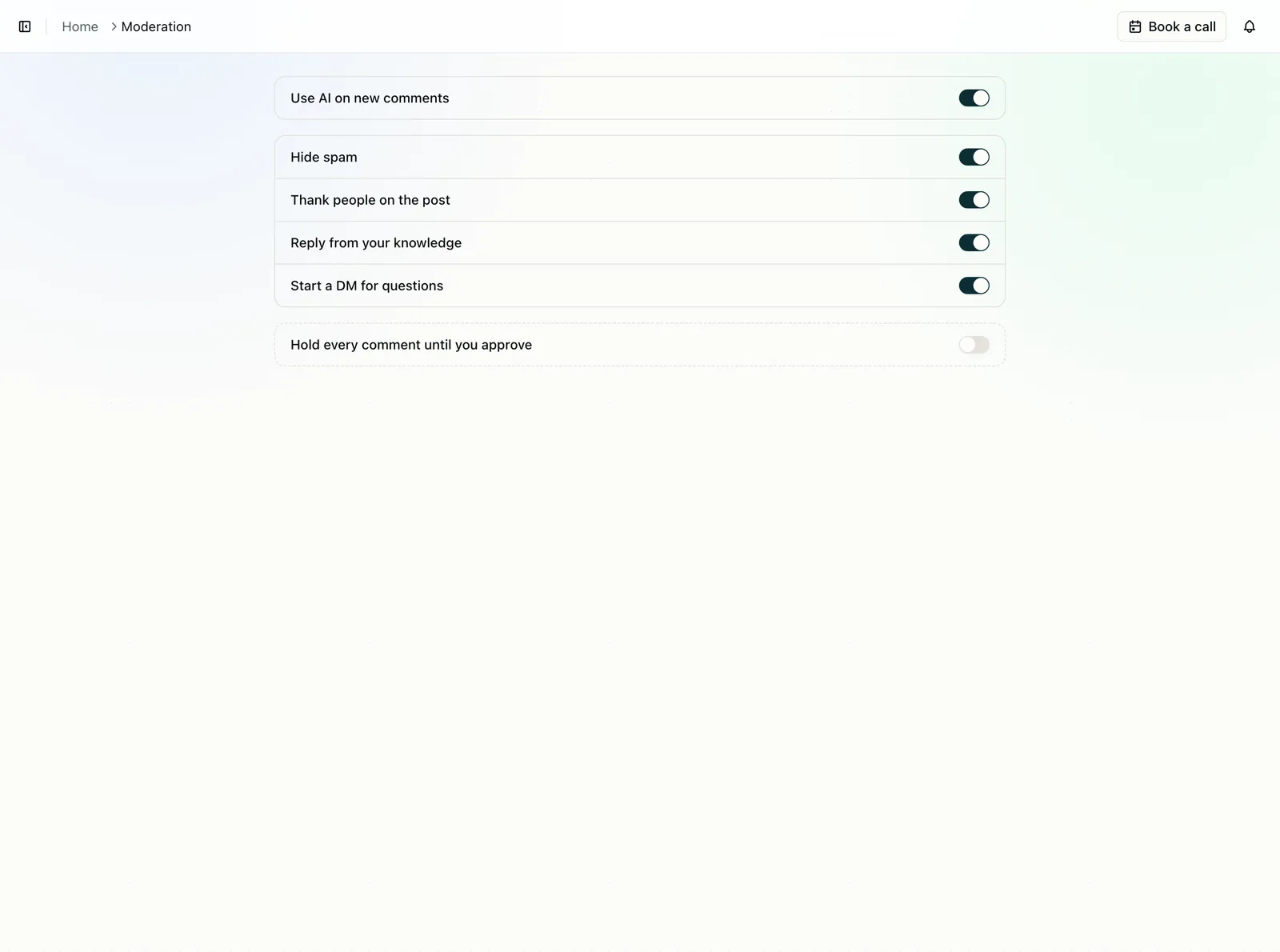
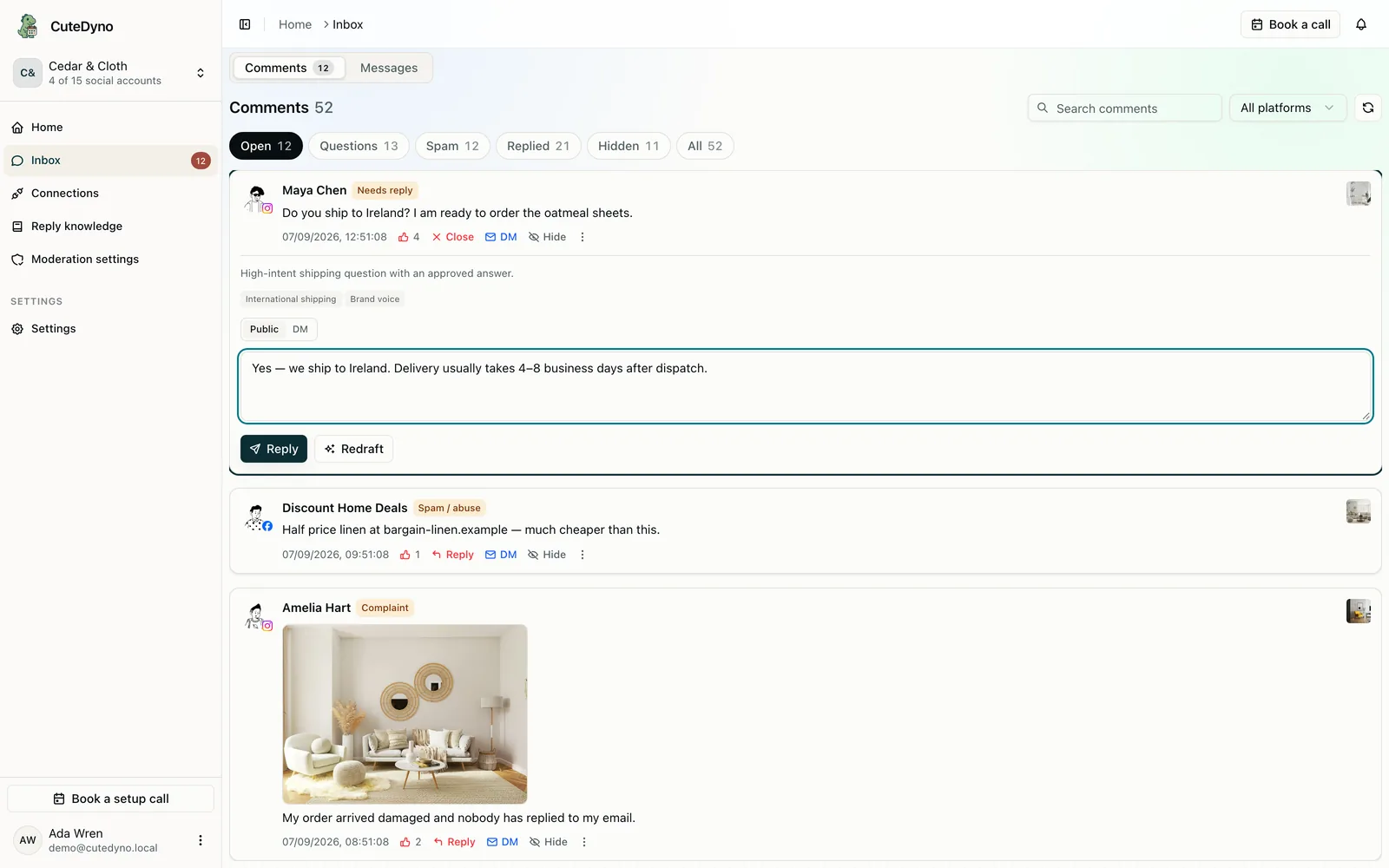
Spam learned to stop using words.
A photo of a replica, a GIF of a phishing page, or a sticker with no caption still sits under the ad. Text-only filters miss it. CuteDyno shows the attachment in the inbox and sends it to a vision model when the platform delivers the image, so visual junk gets the same review as a typed scam.
How image comment moderation works
- 01
The attachment is in the thread
When Facebook or Instagram sends an image with the comment, CuteDyno stores a copy and shows it next to the text, if any.
- 02
Vision looks at the photo
Automatic analysis and on-demand “Draft with AI” can read the image, not only the caption. A replica photo can be flagged even if the comment is blank.
- 03
Unclear images wait for you
If the photo is ambiguous, it stays in the queue. CuteDyno does not hide a real unboxing because it was not sure.
Text and images in the same queue
Image comments are not a separate product. They use the same inbox, the same hide and reply actions, and the same knowledge for drafts when the photo is relevant to the question.
- Photos, GIFs, stickers, and image-only comments
- Visible in the inbox so your team is not moderating blind
- Drafts can mention what is in the photo when that is useful
- Coverage depends on the platform sending the attachment. Pure text webhooks may miss image-only comments.
Questions about Image comment moderation
Catch visual spam the same as text.
Connect Facebook and Instagram and start a 7-day free trial. No card required. Subscribe after 7 days.