Facebook and Instagram ad comments
Including ads that never hit your feed
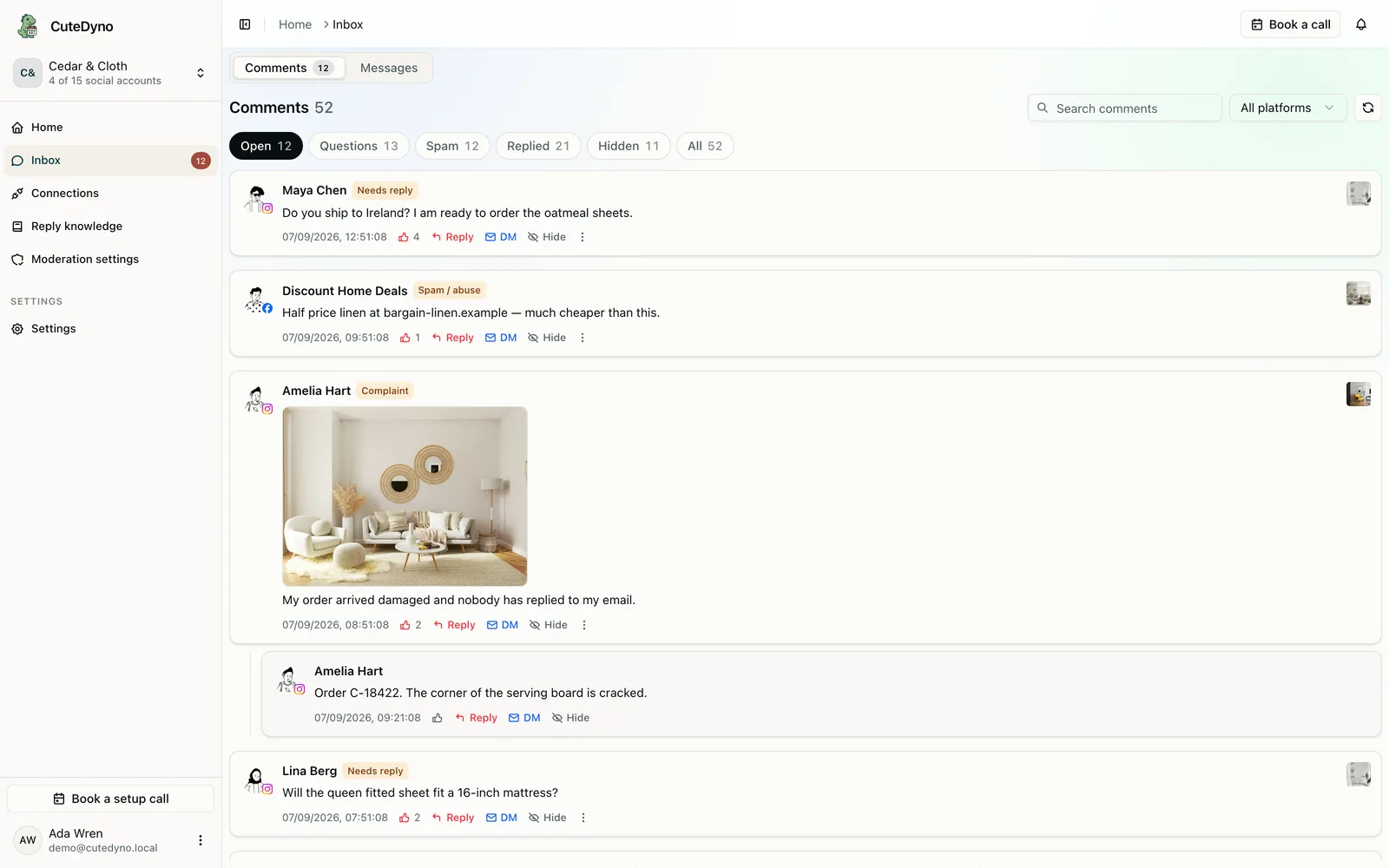
Dark ads still get comments. Most tools never show them.
A conversion campaign can run for weeks without appearing on your Page. People still comment. Those threads sit in Ads Manager, away from the intern checking Instagram. CuteDyno watches supported Facebook and Instagram paid placements, including boosted posts and dark creatives, from the same inbox as organic comments.
How ad comment moderation works
- 01
Connect the Page and Instagram account
Once the Facebook Page and linked Instagram professional account are connected, supported ad comments start flowing in. You do not configure each campaign.
- 02
See the ad they commented on
The creative sits beside the thread so you know whether they asked about the offer, the product, or a landing-page claim.
- 03
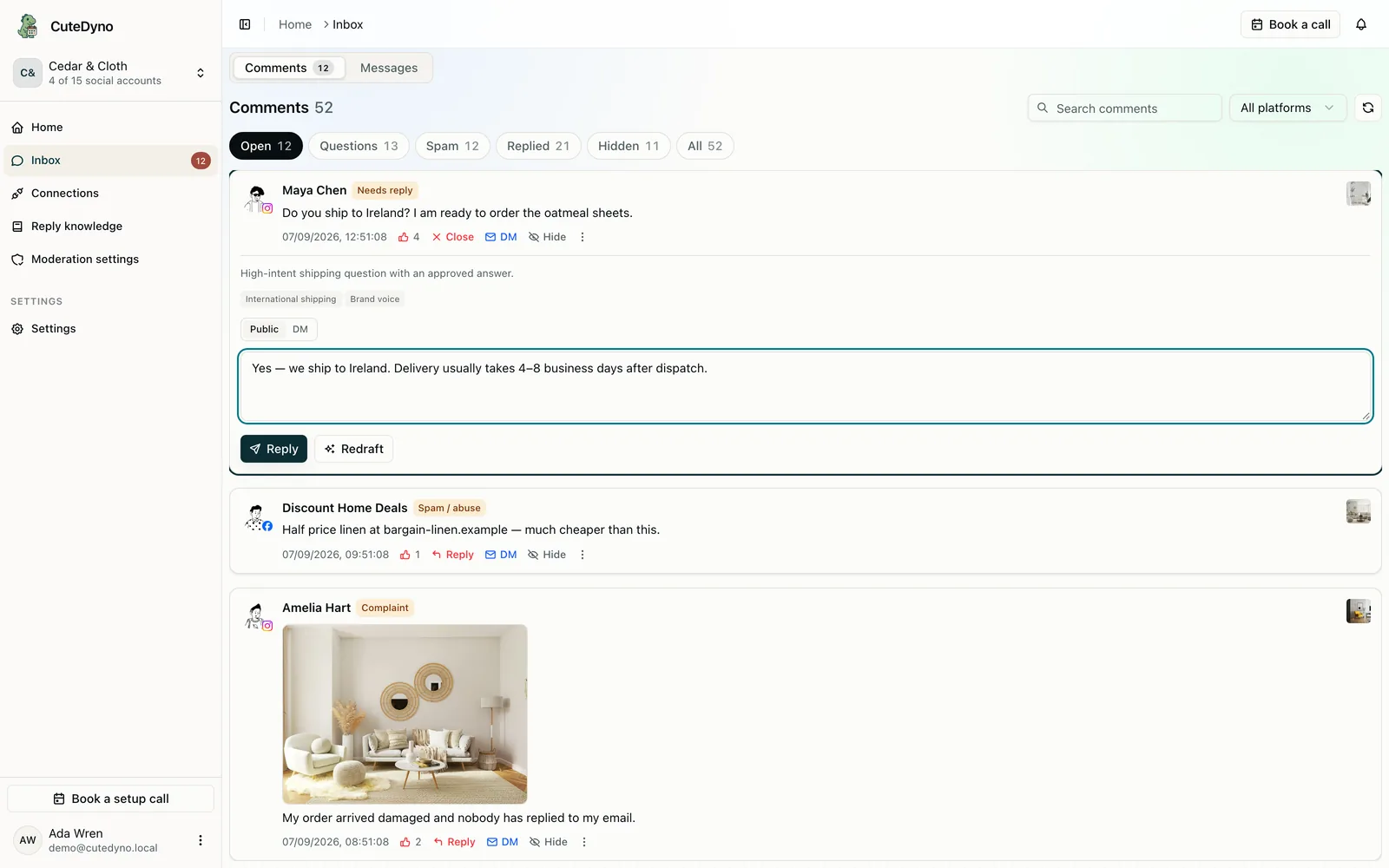
Handle them like any other comment
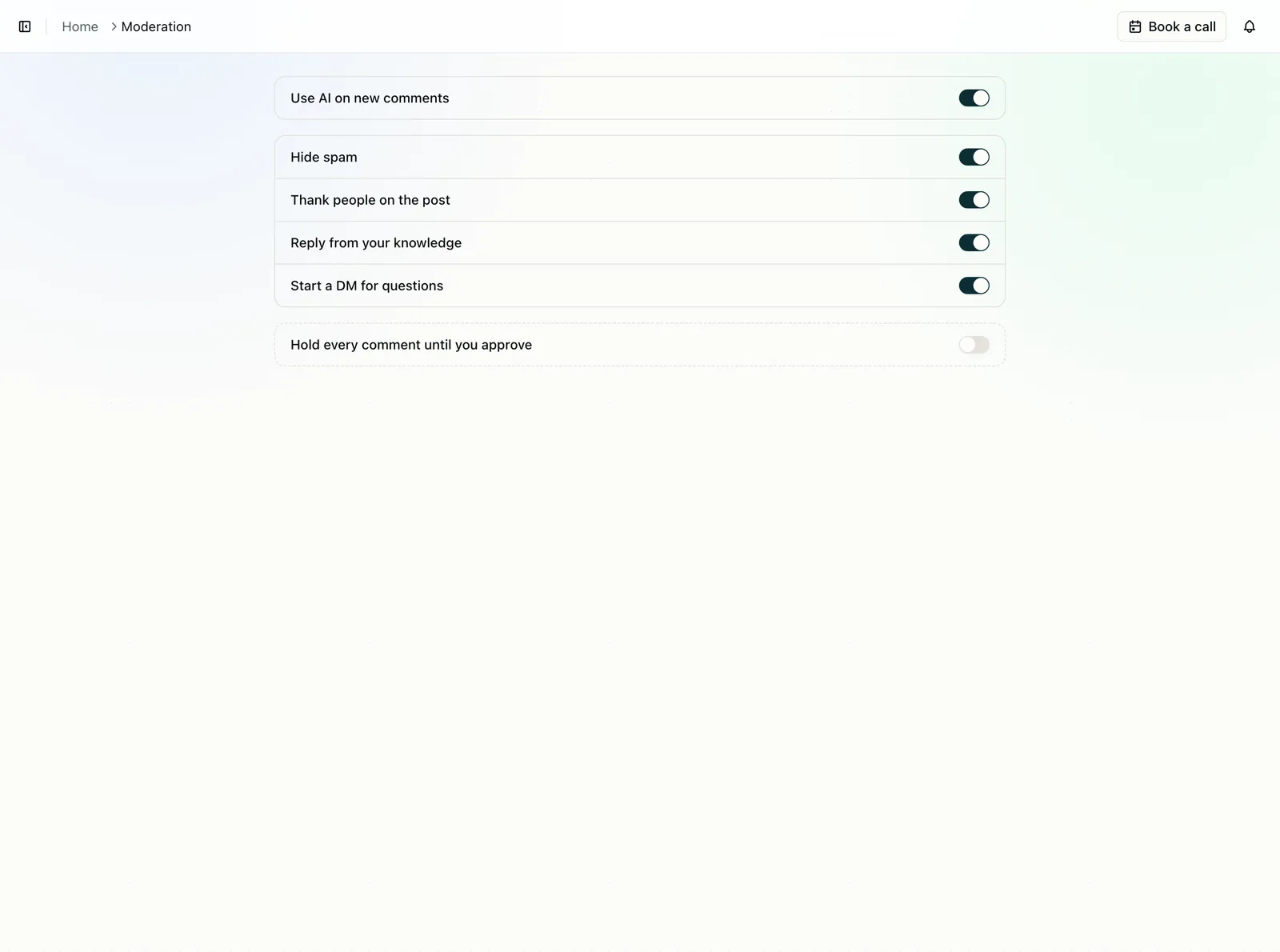
Hide spam, thank people, reply from your FAQs, or start a DM. The same switches apply to ads and organic posts.
No per-campaign comment setup
If you launch ten ads tomorrow, you should not open ten moderation settings. CuteDyno follows the connected accounts. New supported placements inherit the inbox, the knowledge, and the switches you already picked.
- Boosted posts and dark-post creatives on supported placements
- Facebook and Instagram ads in one queue
- Same hide, reply, and hold actions as organic comments
- Coverage depends on what Meta delivers for the connected account
Questions about Facebook and Instagram ad comments
Cover the ads that never hit your feed.
Connect Meta, pick how comments are handled, and start a 7-day free trial. No card required.